Notion setup
Nucleate integrates with Notion using an API and requires some pre-setup before it will push files to the cloud. Follow the below instructions and screenshots to get connected.
1. Initialize a new database
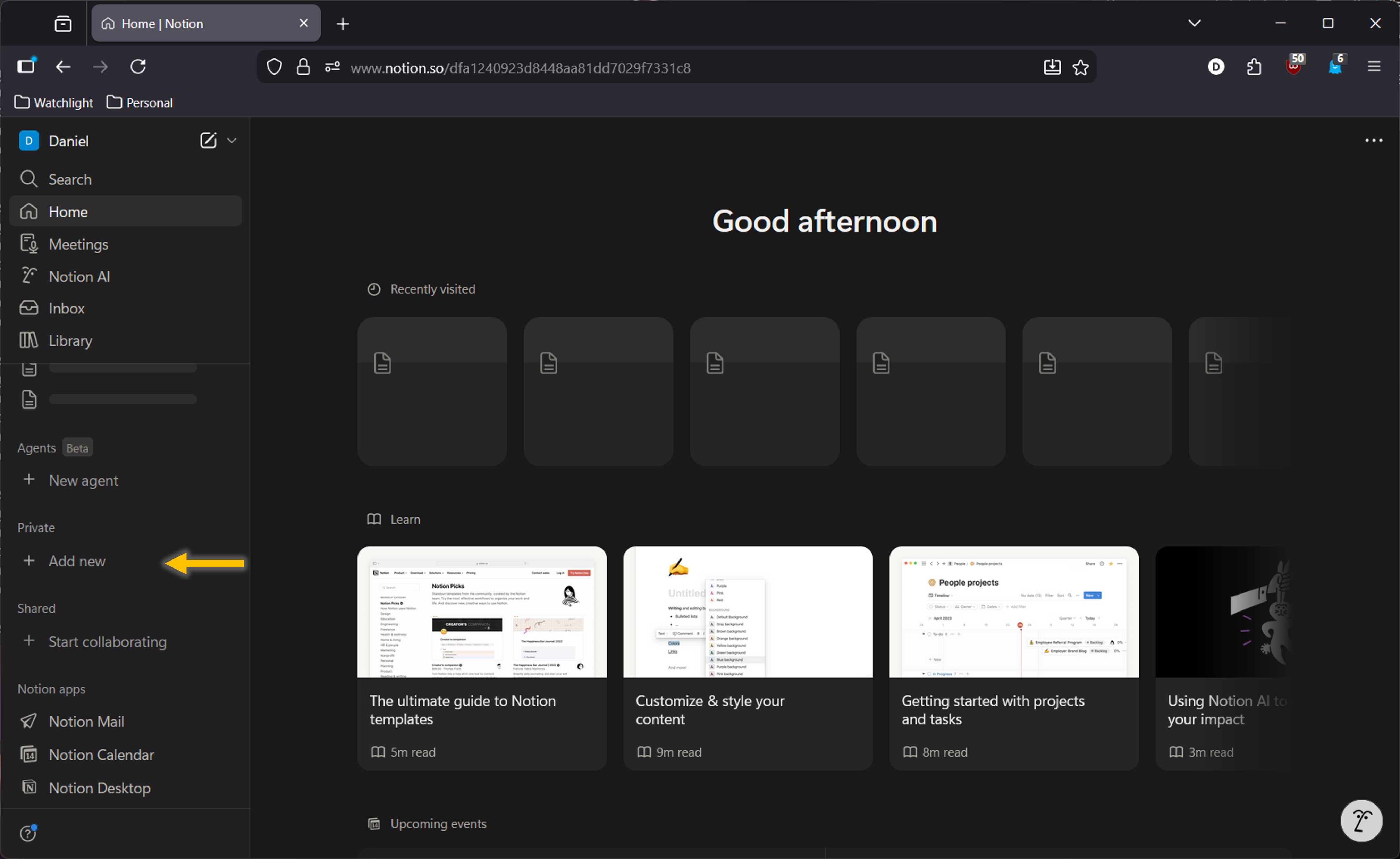
Create a new private page.
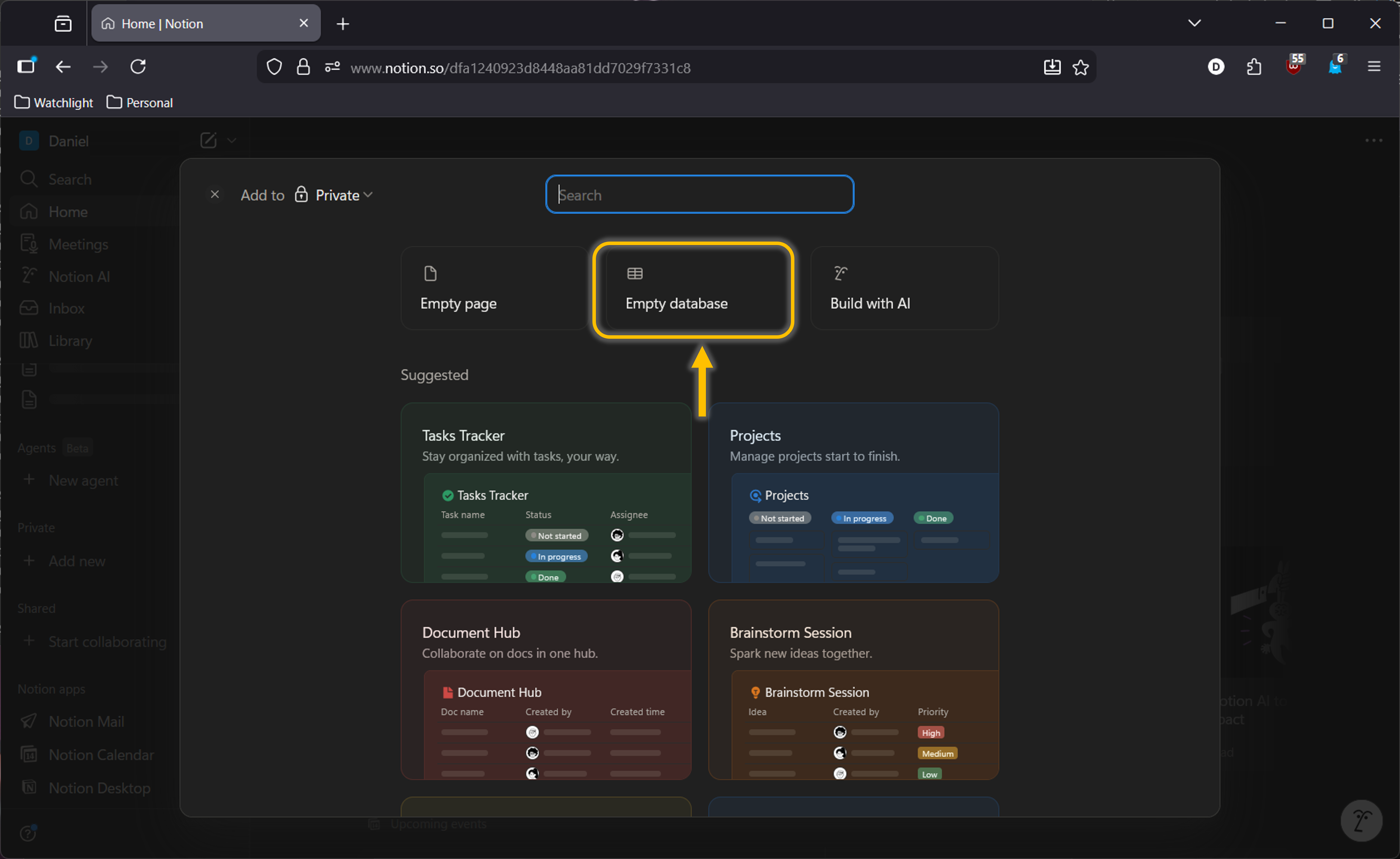
 Make a new “Database” to push your Nucleate summaries.
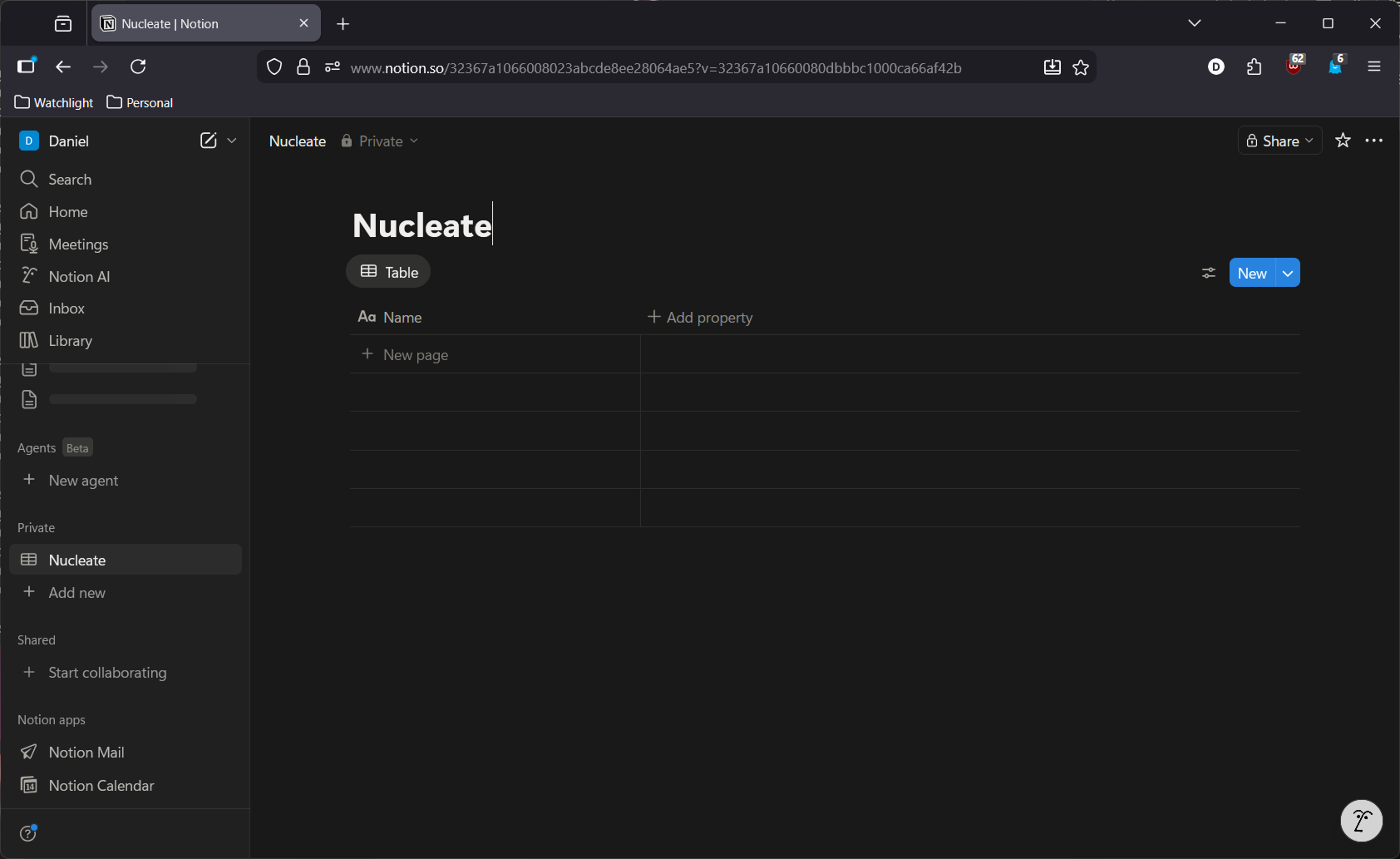
 Name your new database anything you want.
2. Setup Notion Integrations
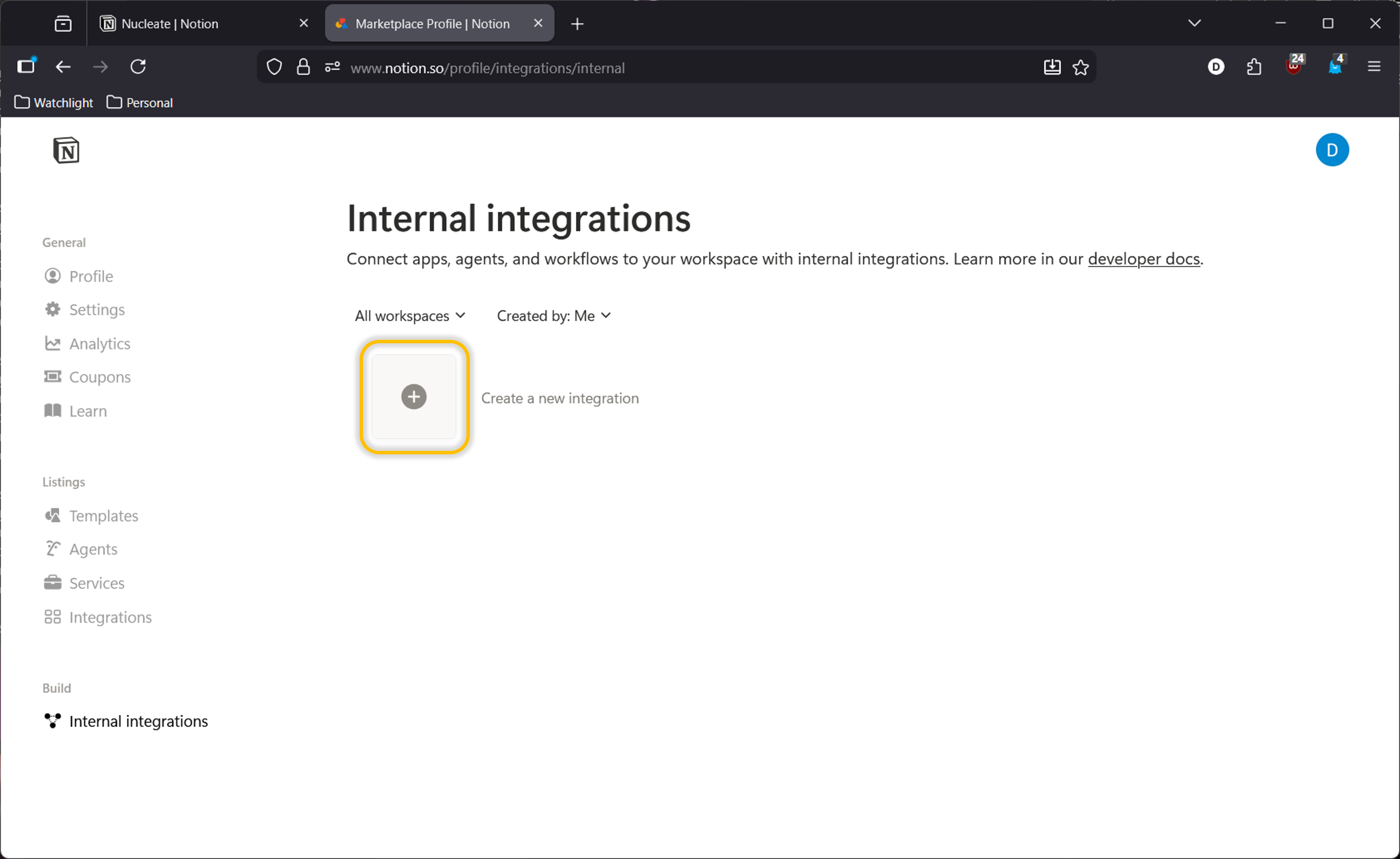
Create a new integration.
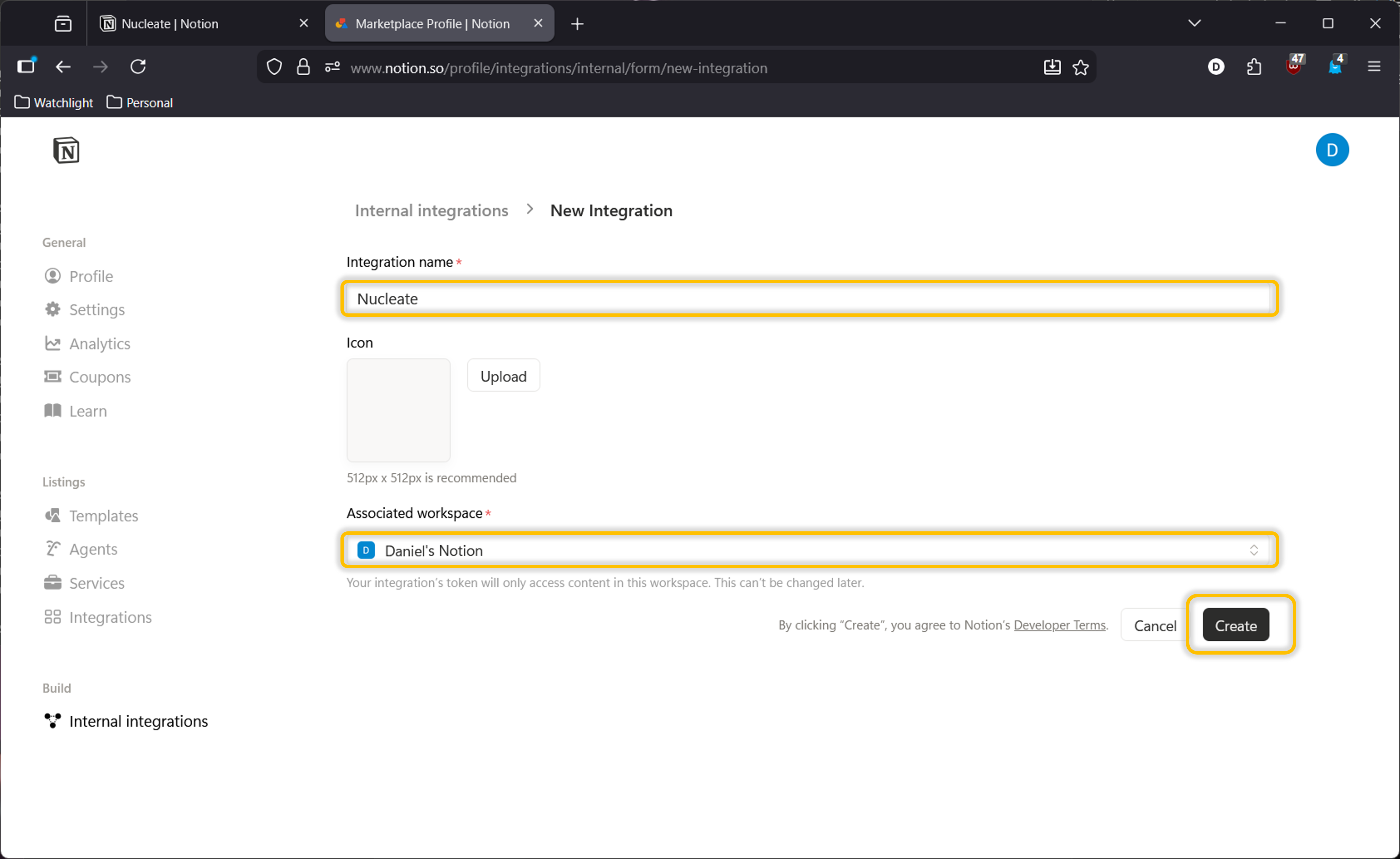
 Provide an integration name and select the target workspace with the new database.
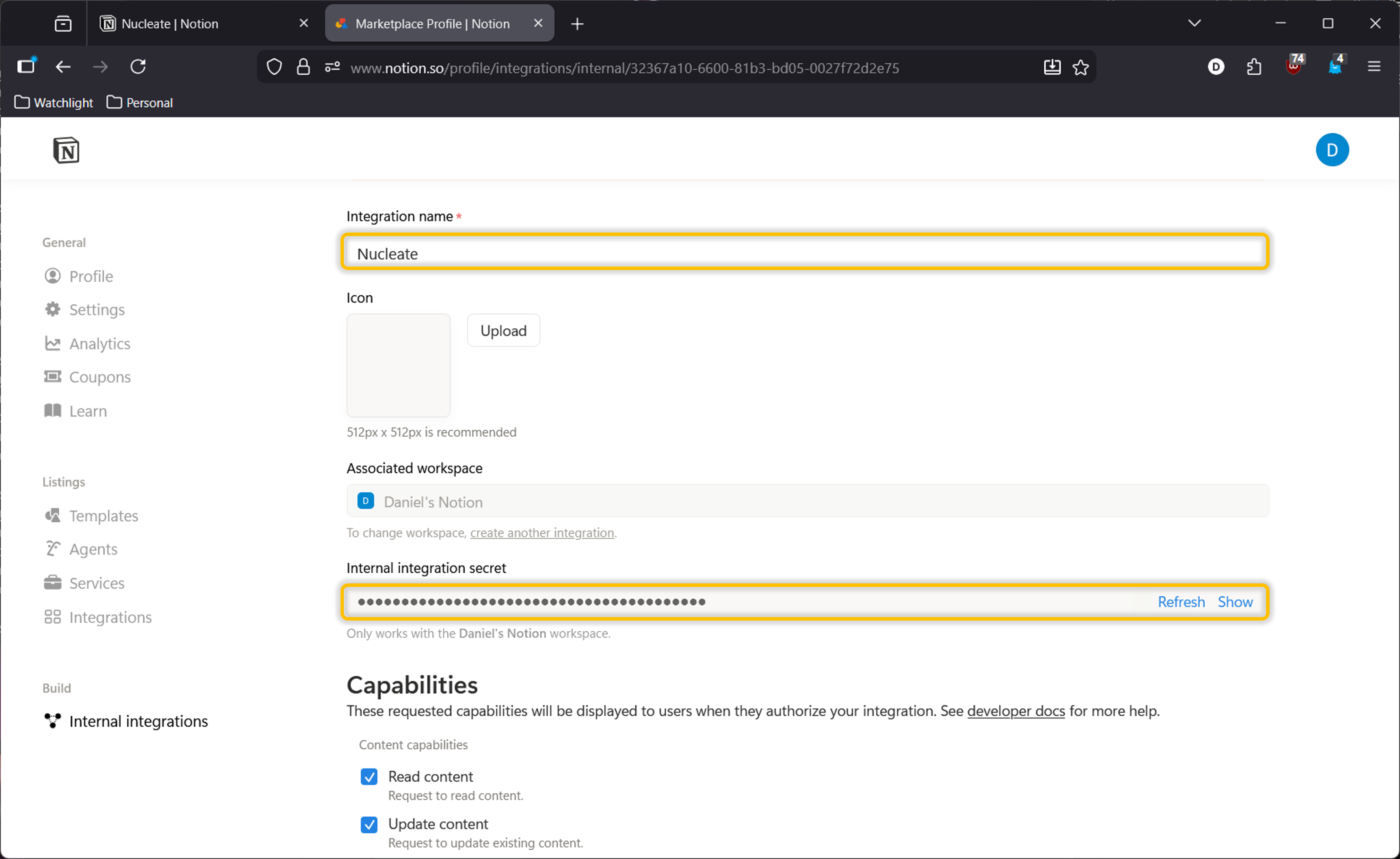
 The integration secret is needed to connect Nucleate and Notion. The secret is saved in plain text on your machine when connected to Nucleate.
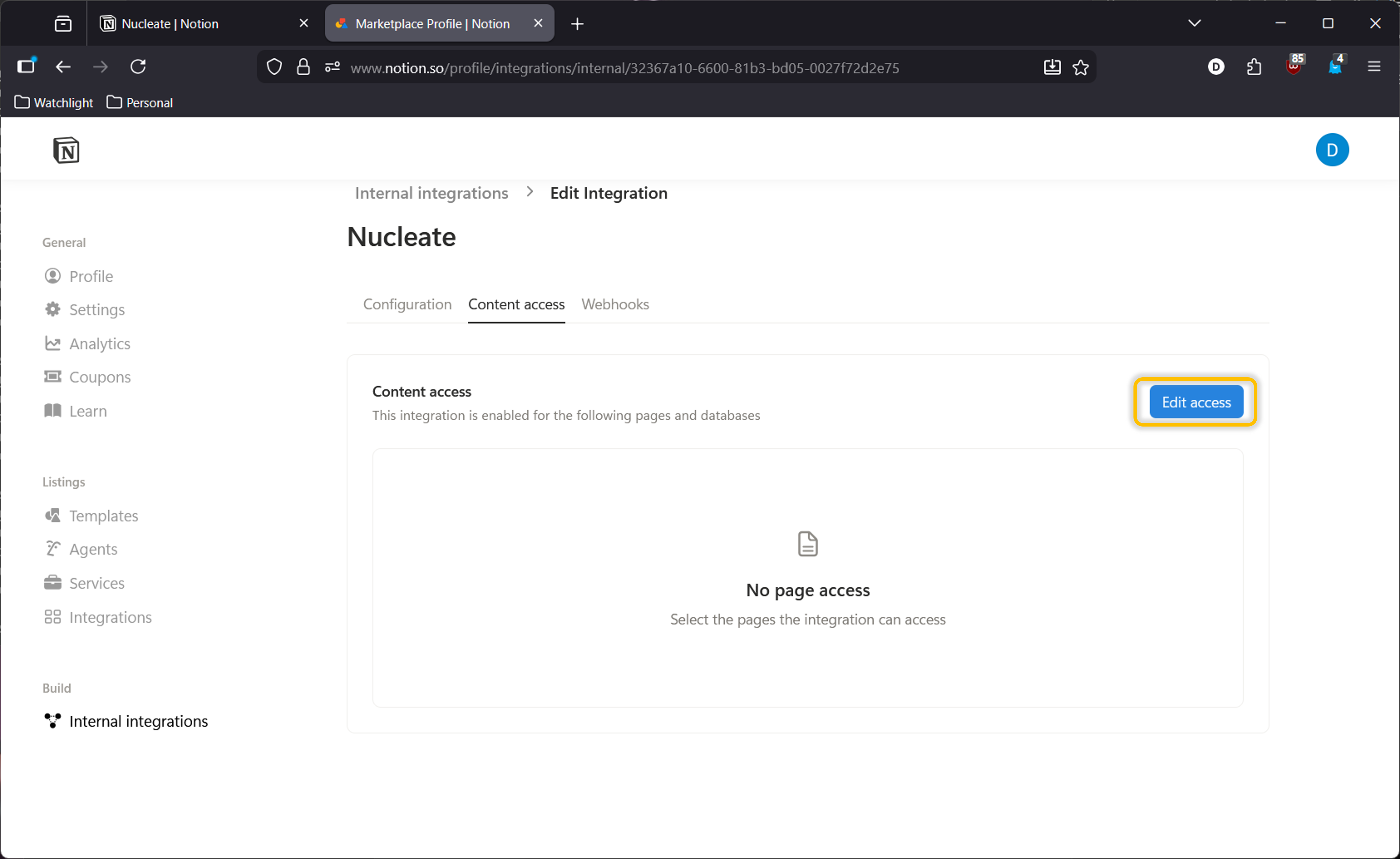
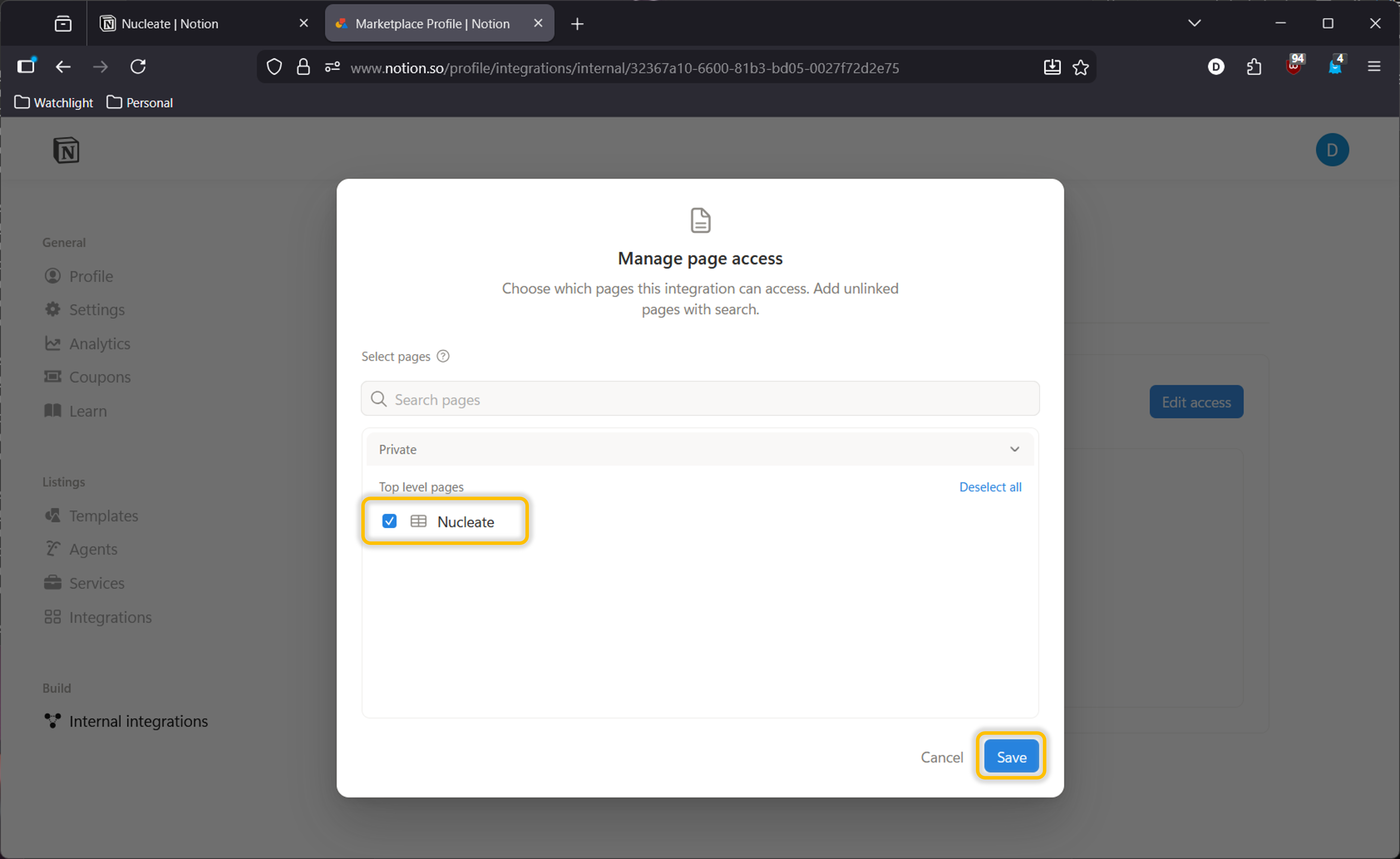
 Edit access and select the appropriate database to which you push Nucleate summaries.
3. Connect to Nucleate
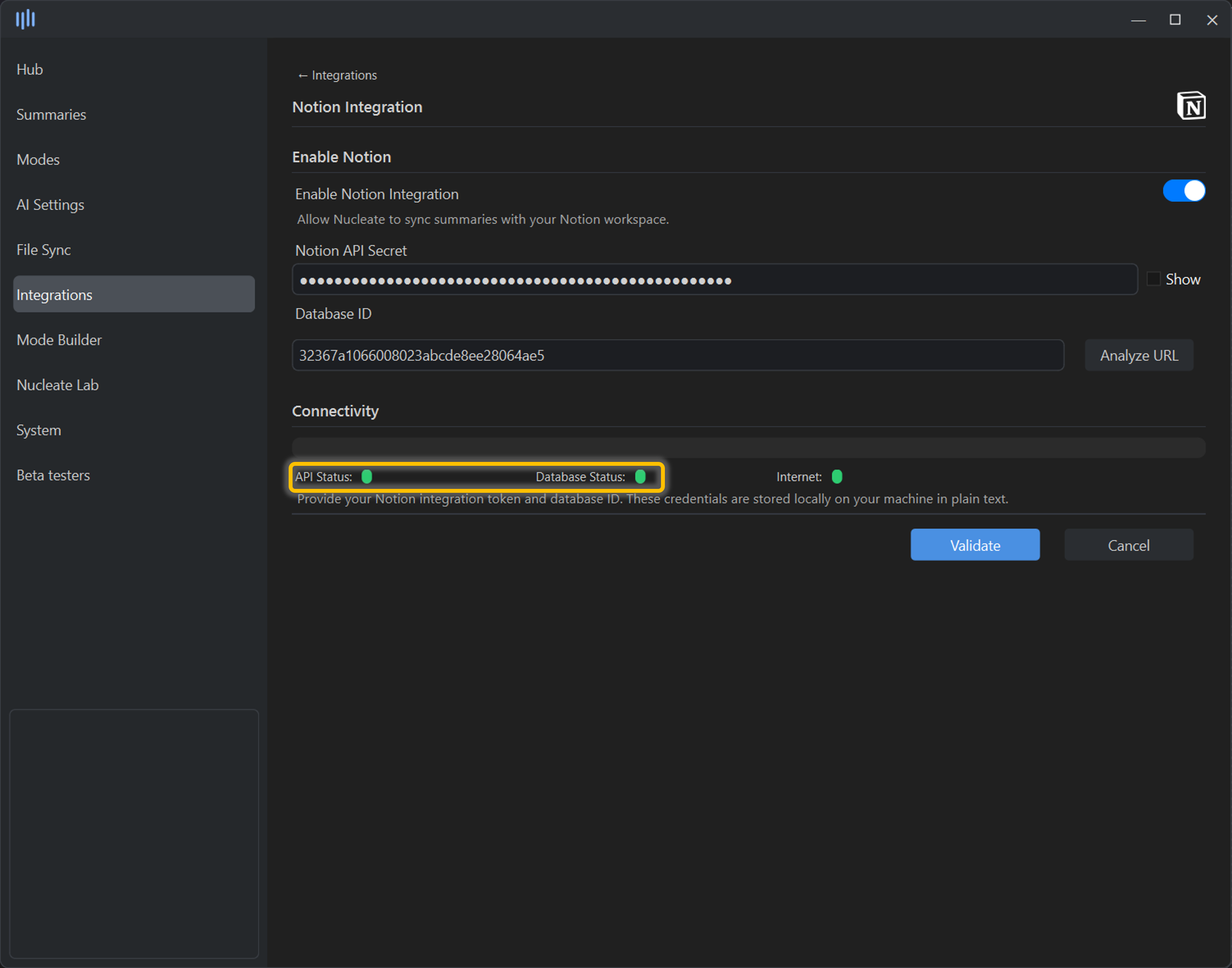
In the Nucleate “Integrations/Notion” panel, enable Notion Integration and paste your API secret. Paste the URL to your new Notion database into the “Analyze URL” analyzer.
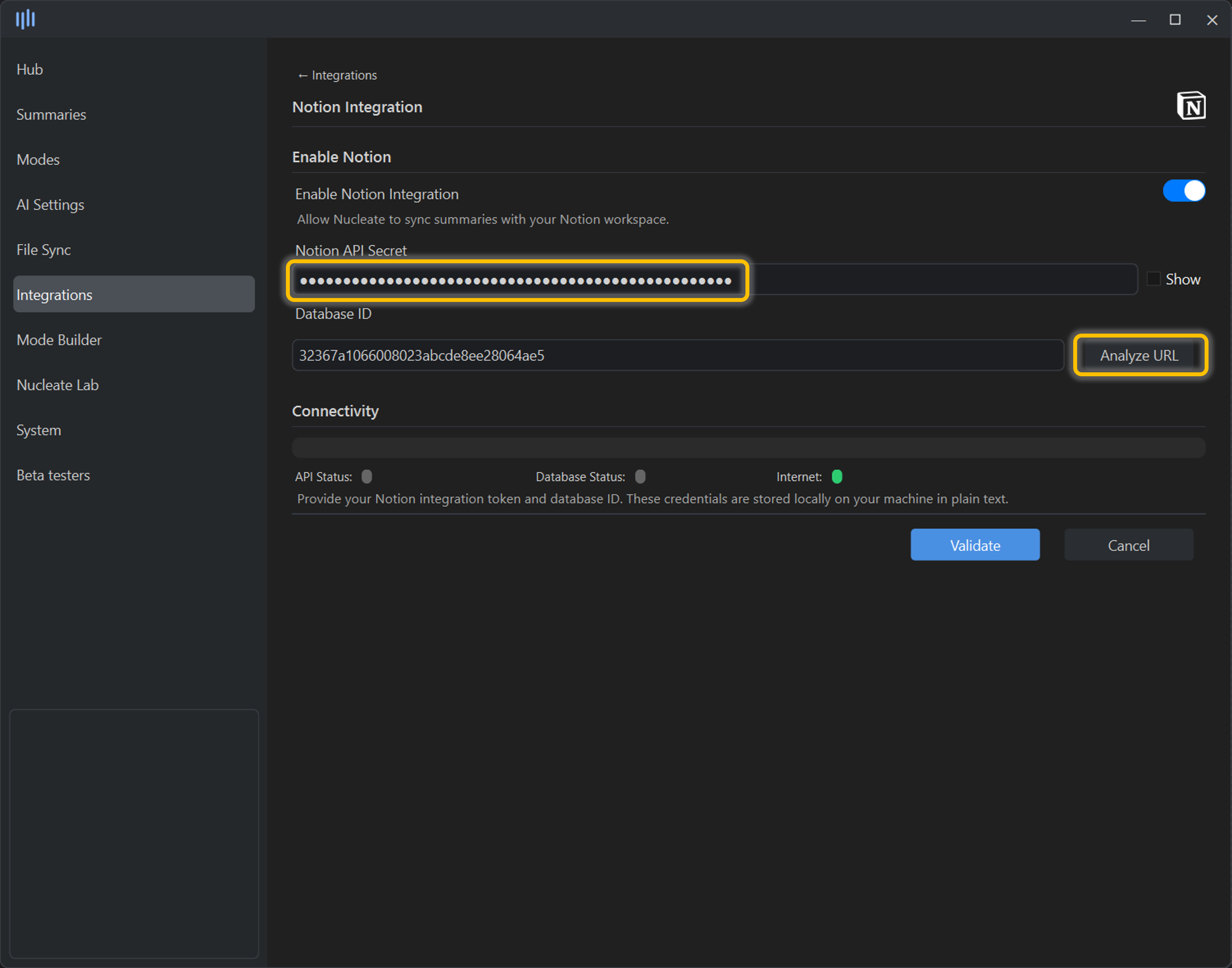 If connected successfully. both API Status and Database Status will be green. If either is yellow or red, review the respective steps from above.